LetsFG Flights
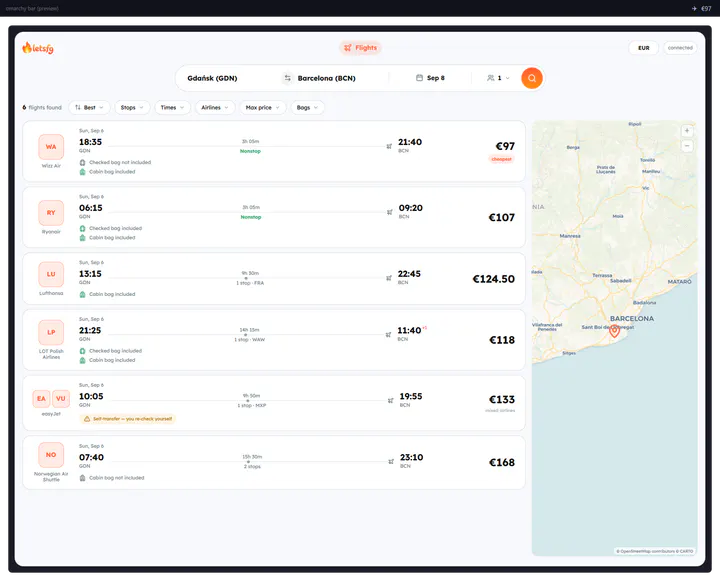
13hearts1,955starsSearch hundreds of airlines from the bar. Uses your own LetsFG token; no keys are bundled.
LetsFG - Productivity
The malleable OS for the age of agents.Vibe your way through every alteration, tweak, and desire.
Linux on the desktop has always asked for a weekend before it gave anything back: a window manager to pick, a terminal to theme, a hundred small decisions between you and a machine you like using. Omarchy answers those decisions with taste, and then leaves every one of them open.
The name says as much. Oma is for omakase, chef's choice: the chef picks the courses, and you are still free to send anything back.
When you can vibe code whatever app comes to your mind, you should be able to vibe code your operating system.
 David Heinemeier HanssonCreator of Omarchy
Arch Linux and Hyprland, configured the way a craftsman would set up their own machine. Tiling windows, beautiful terminals, and sane defaults. No weekend of ricing required.
Omarchy ships skills that teach any coding agent how the system is put together, so you can ask for a change in your own words and the agent edits the real thing. They are plain files, so they work with whichever harness you already run.
The shell you change is the shell Omarchy is built from. There is no private layer the maintainers get and you do not, so your version of the panel is as real as the one that shipped.
When an app dies you get an offer to diagnose it. The agent reads the crash, works out whether Omarchy is at fault, and prepares the bug report for you to send.
Bars, widgets, overlays, services: a change worth keeping becomes a plugin, and a plugin worth sharing lands in the marketplace. Three days after Quattro shipped there were 330 of them.
The introduction from DHH, and what the Linux YouTube circuit made of it.
Omarchy installs as a complete operating system. Both routes below land in the same place: a full, encrypted desktop in under a minute.
Write the ISO to any USB stick and answer five questions. It takes the whole drive and hands back a finished, encrypted desktop in under a minute, with nothing to know about Linux beforehand.
5.8 GB, for 64-bit PCs.
Keep the system you have and let the installer lay Omarchy over it. One command, then a reboot.
curl -fsSL https://omarchy.org/install | bashThe same script the ISO uses. Read it first, the way you would with any other.
The manual also covers dual booting beside Windows and unattended installs.
2,064 community plugins for the Quattro shell: bars, widgets, overlays, and services, each one a single command away.
Search hundreds of airlines from the bar. Uses your own LetsFG token; no keys are bundled.
LetsFG - Productivity
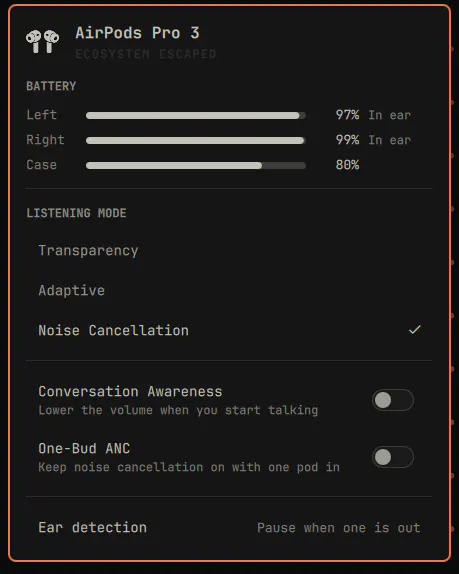
AirPods in the Omarchy bar: per-pod and case battery, listening mode, adaptive noise level, conversation awareness, one-bud ANC and ear detection.
GM - Hardware
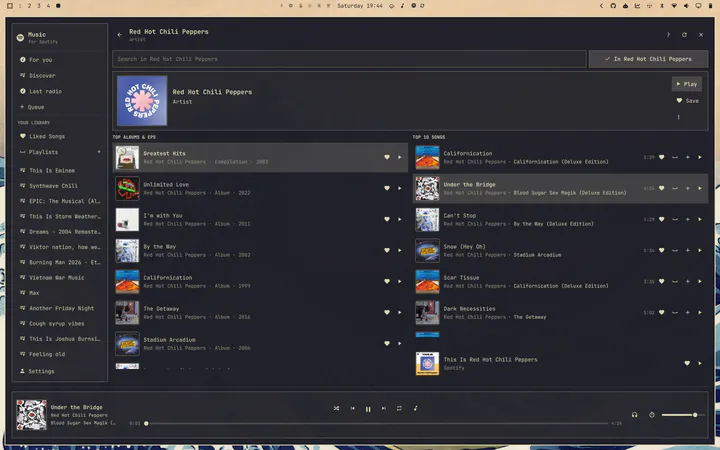
Spotify in Quickshell with all the features you need - using about 60 MB of memory versus roughly 950 MB for the official client.
QuickshellSpotify - Widgets
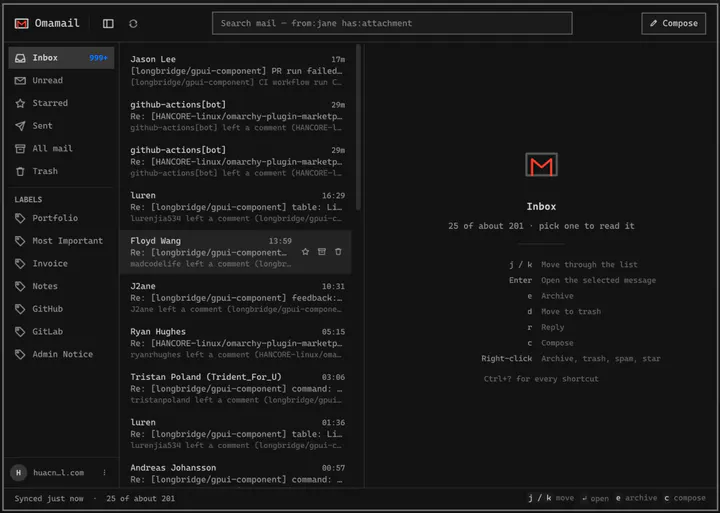
Email client for Omarchy: read, triage, and reply to Gmail, HEY and any IMAP mailbox in a native window. Fastmail, iCloud, Outlook, Zoho, or your own server.
Jason Lee <huacnlee@gmail.com> - Productivity

A native bar and modular plugin suite for Omarchy Quattro, with layouts, controls, widgets, panels, and a guided user-scoped installation.
HANCORE - Desktop
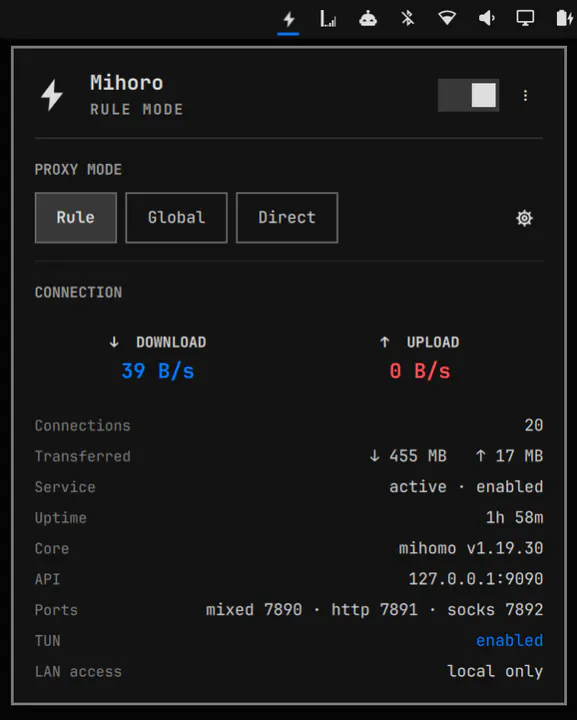
A Clash-style proxy client for Omarchy, running the Mihomo (Clash.Meta) core: connection status, live up/down speed, Rule, Global and Direct switching, and several Clash subscriptions to switch between, driven by the mihoro CLI.
Jason Lee <huacnlee@gmail.com> - Widgets
Omarchy Core sets the direction, the Security team keeps your system safe, and the Rangers help others find their way.
Command your agent, and hang out with the people doing the same.
Daily chatter, support, and show-and-tell with thousands of Omarchs.
Join the serverOmarchy meetups are popping up around the world. Find one near you, or start one.
Find a meetupA six-month, funded residency for the artists who make Omarchy beautiful.
Meet the artistsWear the wordmark. Official Omarchy gear from the 37signals supply store.
Browse the store