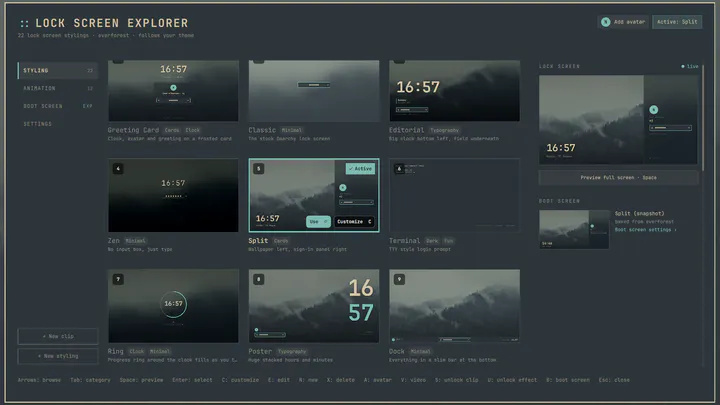
Lock Screen Explorer
172hearts94starsLock screen designs for Omarchy with a picker to preview and switch between them
SirJul1337 - Appearance
Community-built plugins for the Quattro shell. Inspect the source, copy the command, and shape your shell around the way you work.
Showing 1–24 of 355 plugins
Lock screen designs for Omarchy with a picker to preview and switch between them
SirJul1337 - Appearance
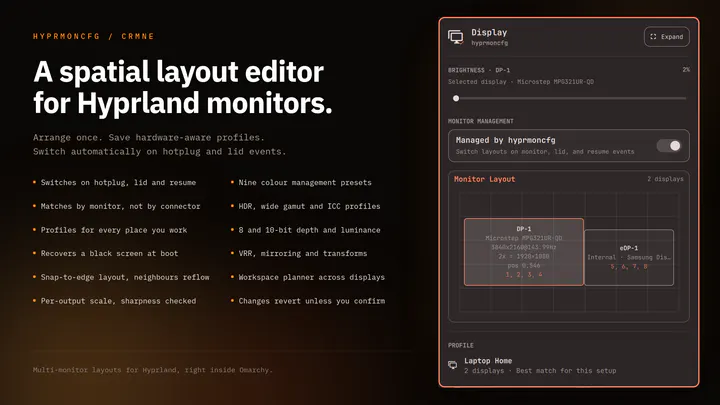
Plug your monitors in and the right layout comes back. Save a profile per setup and hyprmoncfg applies it automatically on hotplug, on lid open and close, and after suspend. Layout editor with per-display brightness, snapping, per-output scale and sharpness checking, HDR, wide gamut and ICC colour m
Carmine Paolino - Hardware
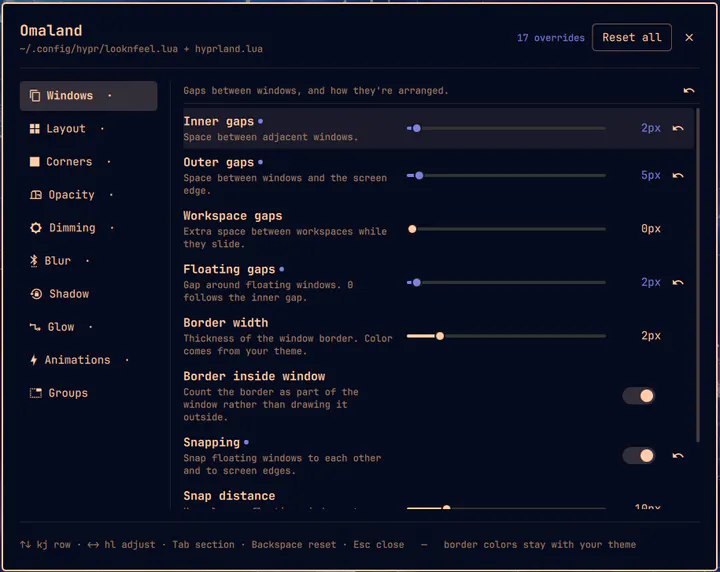
A panel for editing Hyprland's visual look and feel, with live preview. Writes a managed block into ~/.config/hypr/looknfeel.lua. Open from the Omarchy menu by searching 'Omaland' or from the terminal with: omarchy-shell shell toggle bobbynicholas.omaland
Bobby Nicholas - Appearance
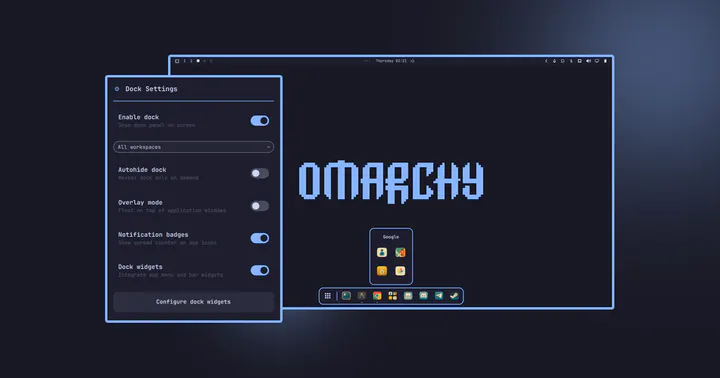
Native animated application dock for Omarchy Quattro with dynamic positioning, Hyprland window tracking, Drag & Drop, and seamless Omarchy theme integration.
rosakodu - Desktop
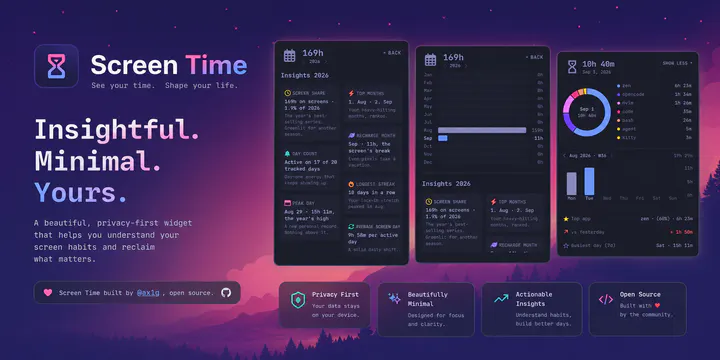
Know where your time goes. Live per-app screen time in your bar with a donut breakdown, a 13-week trend, a yearly overview, and usage insights - terminal-aware, keyboard-first, fully local.
agx - Productivity
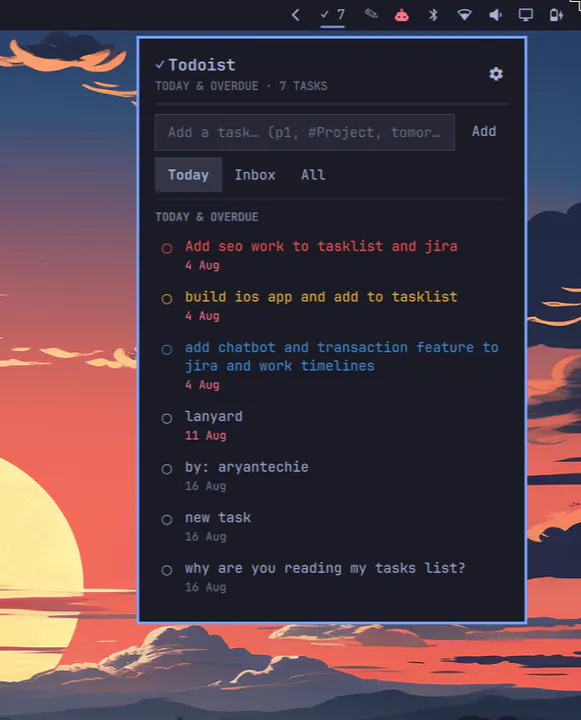
Todoist task count in the bar, with a panel to view due/overdue tasks, check them off, and quick-add new ones.
aryan-techie - Productivity
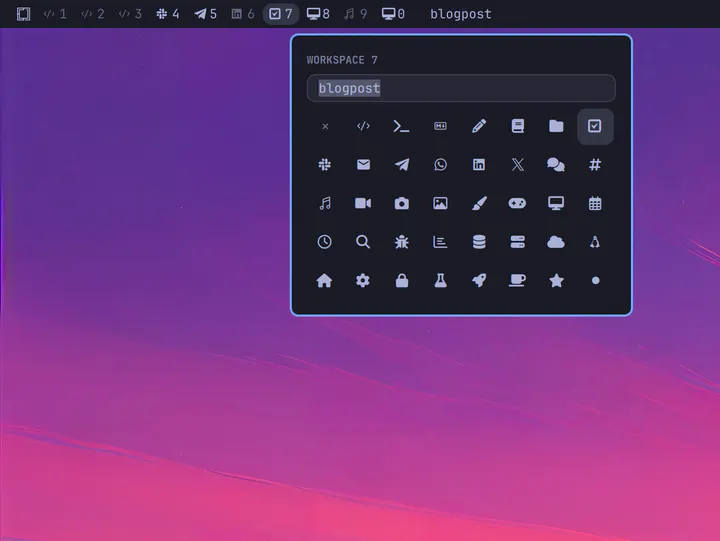
Name and icon of the current workspace, and optionally the workspace indicators
Jankees van Woezik - Widgets
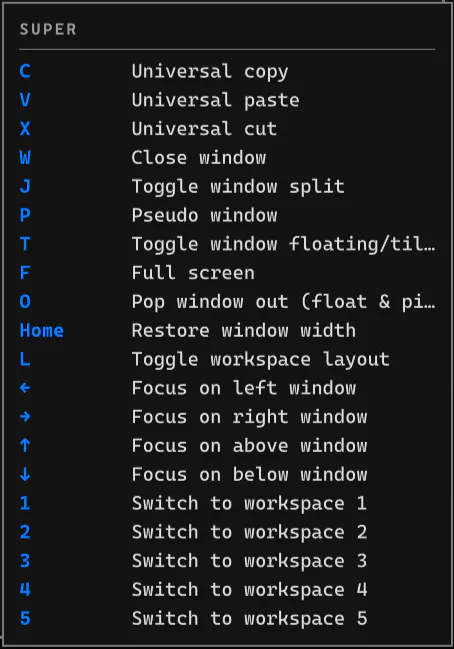
A LazyVim which-key-style shortcut guide that automatically reads Omarchy live keybindings and appears when you hold Super
Jason Lee <huacnlee@gmail.com> - Productivity
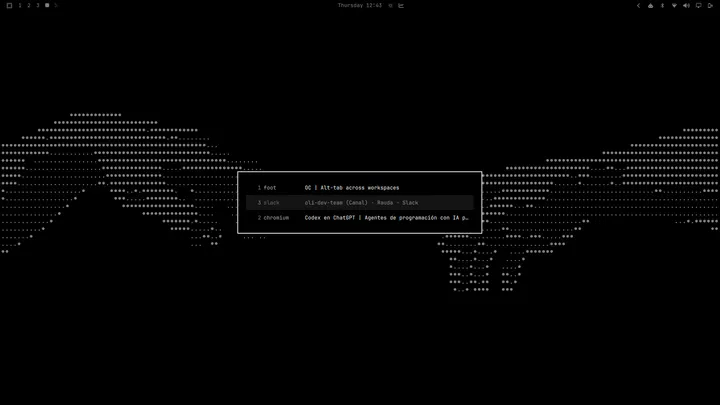
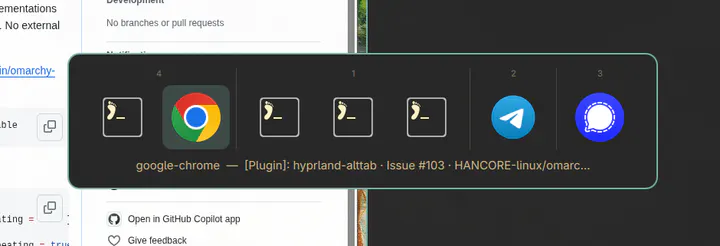
Windows-style ALT+TAB window switcher across every workspace, ordered by most recently used.
Pablo Merino - Desktop
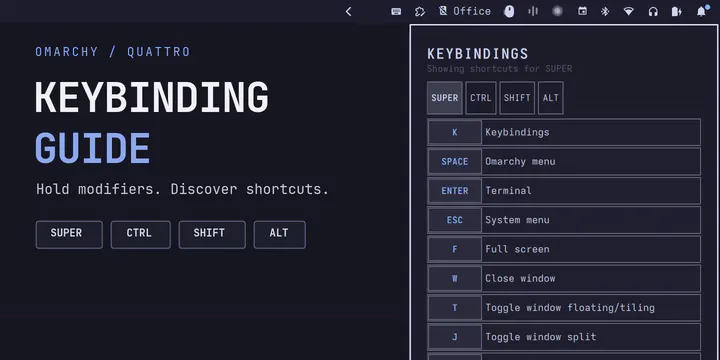
Browse active shortcuts in a right-side guide that filters as modifiers are held.
ctl0v0 - Productivity
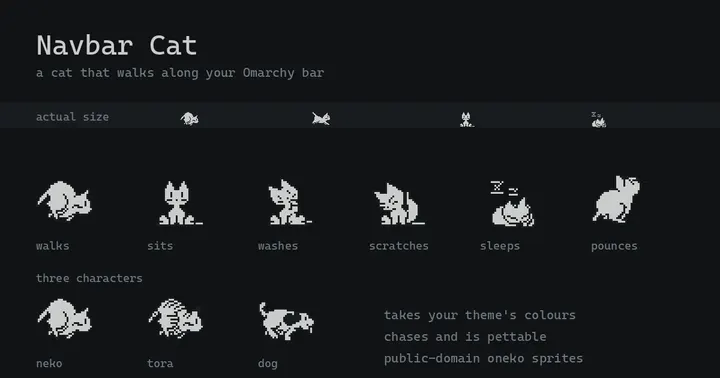
A cat that walks along the bar, reacts to what you are doing, and can be petted
tallsam - Appearance
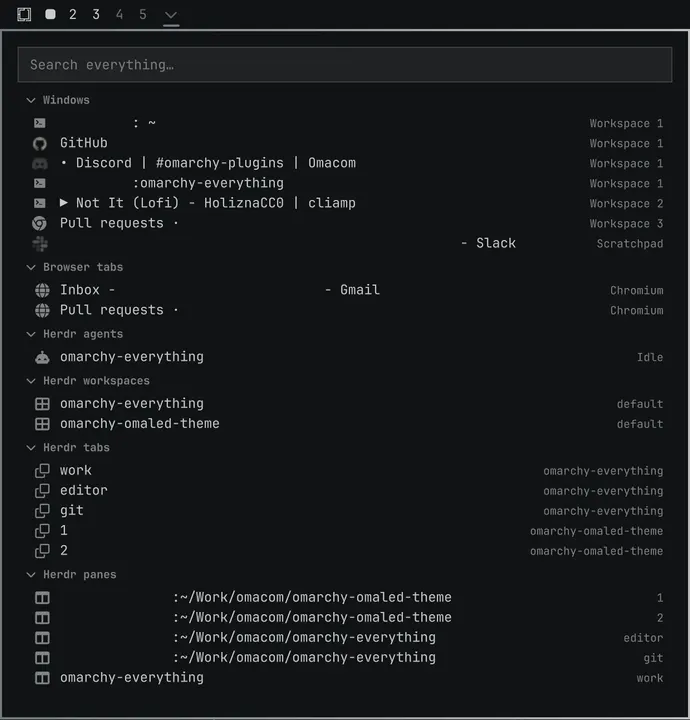
List, search, and jump directly to every app, tab, buffer, agent... everything.
Brian Blakely - Productivity
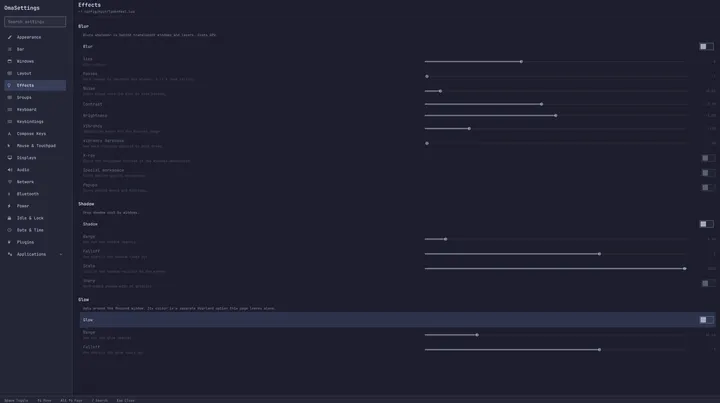
One window for every Omarchy setting, from Hyprland to your keybindings to tmux. Searchable, and anything you change can be put back.
Tobias Wiking - System
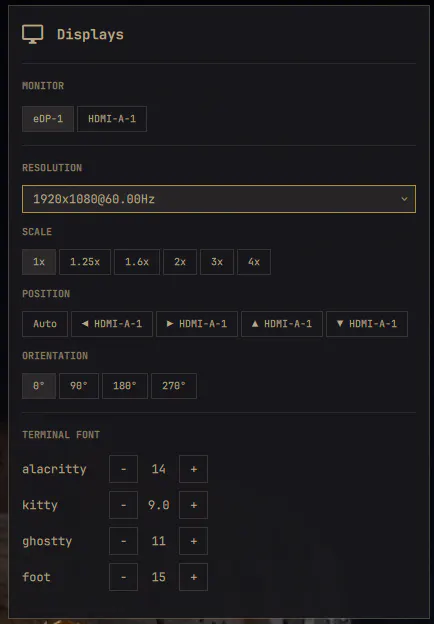
Per-monitor resolution, scale, position, transform and per-terminal font sizes from the bar
nightdevil00 - Desktop

Native looping video wallpaper for omarchy-shell. Renders a muted, looping video on the background layer above the static wallpaper, with a different clip per monitor if you want one, and auto-pause on fullscreen. Controlled from its bar widget, or from a terminal with the motion-wallpaper CLI.
Gavin Nugent - Appearance
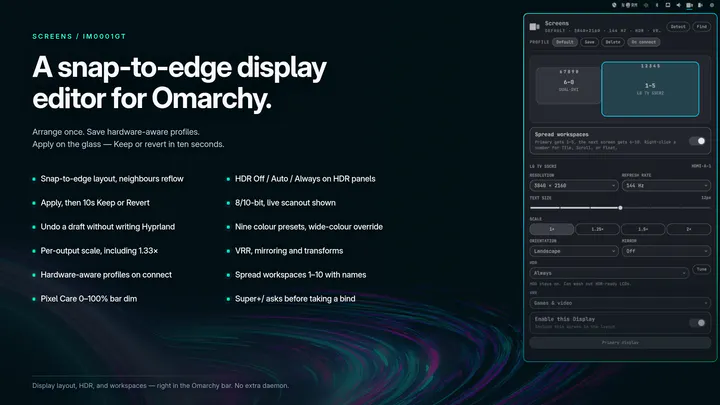
Snap-to-edge monitor layout with brightness, text size, HDR, VRR, hardware-aware profiles, optional bar dim, and 10-workspace spreading with names and icons
IM0001GT - Hardware
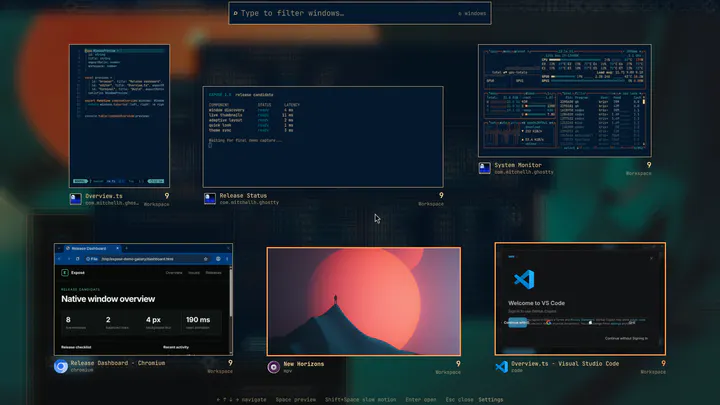
macOS-style Exposé for Omarchy: one key or a hot corner shows every open window as a live preview. Type to search, press Space to Quick Look, press Enter to launch.
Kristoffer Risanger (@kristofferR) - Desktop
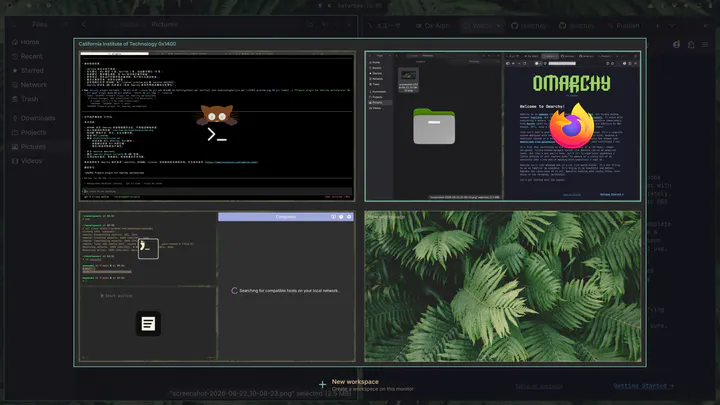
Omarchy workspace experience enhancement with live thumbnails, dynamic and native ordering, drag-and-drop, and automatic Win-key integration.
HANCORE - Desktop
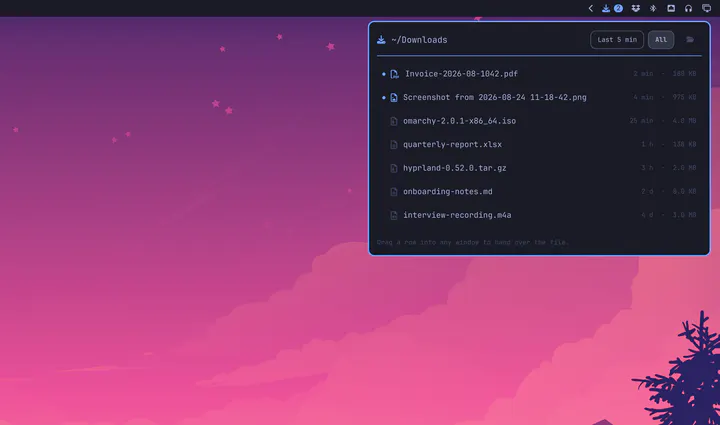
Recent downloads in the bar, in a window you can drag files out of
Jankees - Productivity
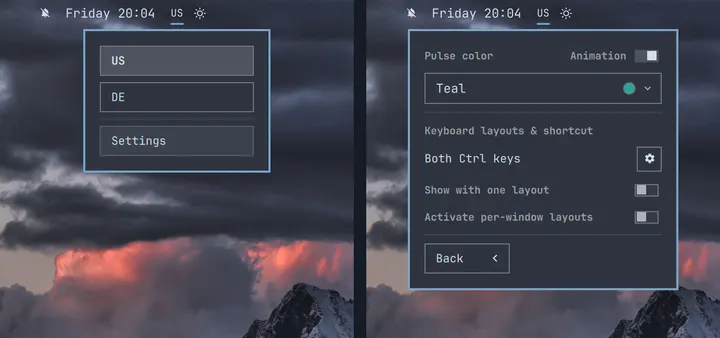
Minimal keyboard layout (XKB) picker with a pulsing indicator and per-window layouts.
ilyaZar - Widgets
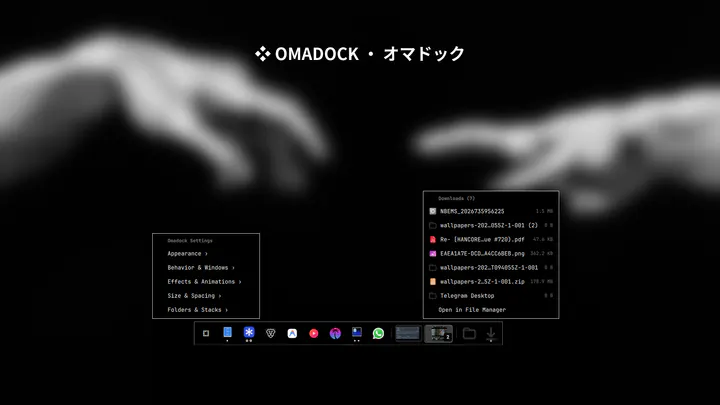
Clean, modern, high-performance application dock for Omarchy with zero-CPU autohide, tiling window adaptation, and deep customization
thepathless - Desktop